
News
How to Know If Your WhatsApp Account Has Been Hacked (8 Warning Signs)
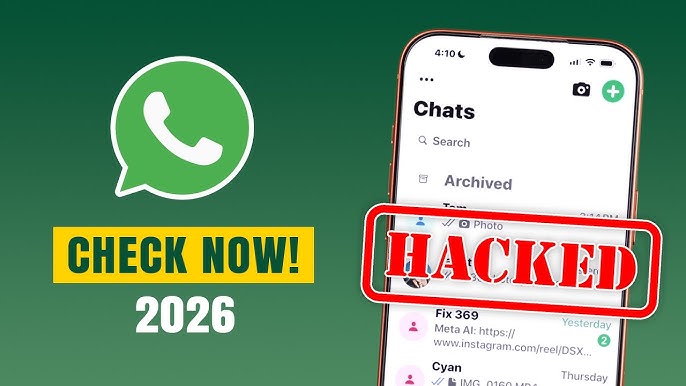
Learn how to know if your WhatsApp account has been hacked. Discover the top warning signs, what to do immediately, and how to secure your account from hackers in 2026.

- Learn how to know if your WhatsApp account has been hacked. Discover the top warning signs, what to do immediately, and how to secure your account from hackers in 2026.

WhatsApp is one of the most widely used messaging apps in the world, making it a frequent target for cybercriminals. If your account falls into the wrong hands, hackers can impersonate you, scam your contacts, access private conversations, or even lock you out of your own account.
The good news is that hacked WhatsApp accounts usually show warning signs before serious damage occurs. Knowing these signs can help you act quickly and regain control of your account.
1. You Are Suddenly Logged Out of WhatsApp
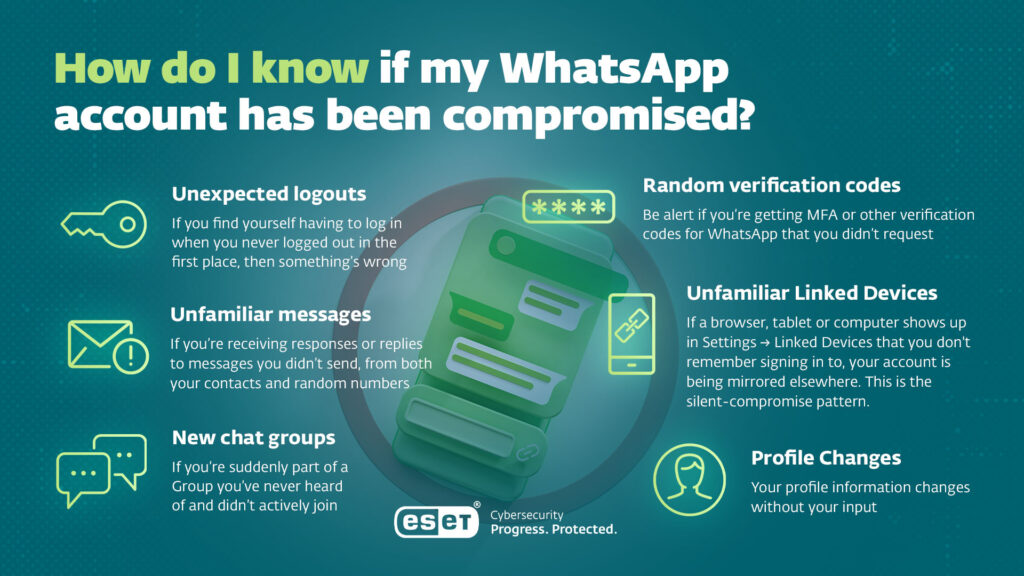
One of the clearest signs that your WhatsApp account has been compromised is being unexpectedly logged out.
If WhatsApp asks you to verify your phone number even though you never logged out, someone may have registered your number on another device.
Although this can sometimes happen after reinstalling the app or changing phones, unexpected logouts without any action from you should be treated as suspicious.
What to do:
- Open WhatsApp immediately.
- Verify your phone number again.
- If possible, enable Two-Step Verification.
2. You Receive Verification Codes You Never Requested
Have you suddenly received a WhatsApp verification code via SMS or phone call without trying to log in?
This is often a sign that someone is attempting to access your account.
Hackers may contact you pretending to be a friend, WhatsApp support, or a company representative, asking you to forward the verification code.
Never share your six-digit verification code with anyone.
WhatsApp will never ask you for your verification code through messages, emails, or phone calls.
3. You Notice Messages You Didn’t Send
Another warning sign is finding conversations or messages you never wrote.
You may notice:
- Friends asking why you sent strange messages.
- Replies to conversations you don’t remember starting.
- Spam links sent from your account.
- Requests for money being sent to your contacts.
This usually indicates that someone has gained access to your account and is using it to scam others.
4. Unknown Devices Are Linked to Your Account
WhatsApp allows users to connect their account to computers and browsers using the Linked Devices feature.
If you see a device you don’t recognize, someone else may be reading your messages.
To check:
WhatsApp → Settings → Linked Devices
Look for:
- Unknown browsers
- Computers you’ve never used
- Tablets or devices you don’t own
- Login locations you don’t recognize
If you find one, log it out immediately.
5. Your Profile Information Changes Without Your Permission
Has your profile picture suddenly changed?
Did your display name or “About” section change without you editing it?
Unauthorized profile changes are another common sign of account compromise.
Hackers often modify profile details to impersonate businesses, advertise scams, or convince your contacts that messages are legitimate.
6. You’re Added to Groups You Never Joined
If you suddenly become a member of unfamiliar WhatsApp groups without accepting an invitation, it may indicate suspicious activity.
Although some group additions are legitimate, repeated additions to unknown groups should be investigated.
7. Your Contacts Receive Strange Requests
Many hacked WhatsApp accounts are used for financial scams.
Hackers often send messages such as:
- “Can you lend me some money?”
- “Please send me the verification code.”
- “Click this link quickly.”
- “I need your help urgently.”
If several friends report receiving unusual messages from you, take immediate action.
8. You Notice Unusual Account Activity
Other warning signs include:
- Frequent login notifications.
- WhatsApp behaving unusually.
- Chats marked as read when you haven’t opened them.
- Deleted conversations you didn’t delete.
- Unexpected status updates.
Any unusual activity should be treated seriously.
What Should You Do If Your WhatsApp Account Has Been Hacked?
If you believe your account has been compromised:
1. Log Back Into WhatsApp
Register your phone number again.
Since WhatsApp only allows one phone to use an account at a time, logging back in usually logs the hacker out.
2. Enable Two-Step Verification
Go to:
Settings → Account → Two-Step Verification
Create a secure PIN and add a recovery email address.
3. Remove Unknown Linked Devices
Open:
Settings → Linked Devices
Log out every device you don’t recognize.
4. Inform Your Contacts
Tell your friends and family that your account was compromised.
Ask them to ignore suspicious messages or requests sent from your number.
5. Secure Your SIM Card
If you suspect someone transferred your phone number to another SIM card (SIM swap fraud), contact your mobile network immediately to secure your number.
How to Protect Your WhatsApp Account
Preventing hacks is easier than recovering from one. Follow these security tips:
- Never share your verification code.
- Enable Two-Step Verification.
- Use a secure screen lock on your phone.
- Keep WhatsApp updated.
- Download WhatsApp only from official app stores.
- Avoid clicking suspicious links.
- Regularly check your Linked Devices.
- Be cautious of messages claiming to be from WhatsApp support.
Frequently Asked Questions
Can someone hack my WhatsApp without my phone?
It is difficult, but not impossible. Most account takeovers happen because users share verification codes, fall for phishing scams, or become victims of SIM swap fraud.
Will WhatsApp notify me if someone logs in?
WhatsApp usually sends a verification code when someone attempts to register your phone number. Receiving a code you didn’t request is a warning sign and should never be ignored.
Can hackers read my old messages?
If your chats are protected by WhatsApp’s end-to-end encryption, old messages stored on your device remain protected. However, if someone gains access to your active account or linked devices, they may be able to read new incoming messages.
Can I recover a hacked WhatsApp account?
Yes. In many cases, you can recover your account by verifying your phone number again, enabling Two-Step Verification, removing unknown linked devices, and contacting WhatsApp Support if necessary.
A hacked WhatsApp account can expose your private conversations, damage your reputation, and put your friends and family at risk of scams. Fortunately, there are several warning signs that can help you detect suspicious activity early, including unexpected logouts, unknown linked devices, verification codes you didn’t request, and messages you never sent.
If you notice any of these signs, act immediately by securing your account, changing your security settings, and informing your contacts. Staying alert and following WhatsApp’s recommended security practices is the best way to keep your account safe.






IPOB Reveals What Nnamdi Kanu Has Achieved for Biafrans
The Indigenous People of Biafra (IPOB) has credited its leader, Nnamdi Kanu, with playing a major role in mobilising public...


FULL LIST: Arsenal Host Real Madrid, Man City Face PSG In Champions League Draw
Full list of 2026/27 UEFA Champions League league phase draw as Arsenal host Real Madrid, Man City face PSG and...


NYSC Sets September Registration Date for 2026 Batch C, Issues Mandatory Clearance Warning
The National Youth Service Corps has fixed September 7 to 13, 2026, for online registration of prospective corps members in...


BREAKING: Gunmen Kill Kogi APC Chairman, Abduct Passenger in Highway Attack
Gunmen have killed the APC chairman in Dekina Local Government Area of Kogi State, Ishaq Yunusa...

FULL LIST: US Publishes Fresh Names of 10 ‘Worst of the Worst’ Nigerian Criminals
The United States Immigration and Customs Enforcement has added 10 Nigerians to the Department of Homeland Security’s “Worst of the...


Atiku Fires Back at Age Critics, Says ‘Do I Look Like Someone Who Has Reached 80?’
Former Vice President Atiku Abubakar has dismissed concerns about his age ahead of the 2027 presidential election, challenging critics to...


The State Is a Terrorist by Its Own Law — and the Supreme Court Let It Prosecute Its Victim
Legal practitioner Christopher Chidera has raised six alleged legal errors in the Supreme Court’s December 15, 2023 decision ordering the...


Tinubu Swears In Enitan as New Head of Civil Service
President Bola Tinubu has formally sworn in Abel Enitan as the new Head of the Civil Service of the Federation,...


IPOB Raises Fresh Alarm Over Kanu’s Conviction, Demands Immediate Release
IPOB’s Chris Nwaọgụ has highlighted the group’s legal and international advocacy activities, raised fresh questions over Nnamdi Kanu’s conviction, and...


NBA Under Fire Over Civil Stay Of Kanu’s Discharge
The Nigerian Bar Association (NBA) is facing criticism over its alleged silence on legal issues surrounding the continued detention of...