
Tech
How to Share Airtime on MTN, Airtel, and Glo Using USSD Codes— Simple Step-by-Step Guide
Need to send airtime to friends or family? Nigerian telecom networks now use a unified USSD system that makes airtime transfers easier than ever.


- Need to send airtime to friends or family? Nigerian telecom networks now use a unified USSD system that makes airtime transfers easier than ever.
- Here’s a complete guide on how to share airtime on MTN, Airtel, and Glo using USSD codes and mobile apps.

Sharing airtime has become one of the easiest ways Nigerians help friends, relatives, and colleagues stay connected, especially during emergencies or when someone urgently needs to make calls or buy data.
To simplify the process, the Nigerian Communications Commission (NCC) introduced a harmonised USSD system that allows users across different networks to perform airtime-sharing transactions more easily.
Today, MTN, Airtel, and Glo subscribers can transfer airtime using the unified *321# service, while some networks also support airtime transfers through their mobile apps.
Although the process is now simpler, many users still find the setup confusing, especially when it comes to changing transfer PINs or using mobile apps for the first time.
Here is a detailed guide on how to share airtime on MTN, Airtel, and Glo in 2026.
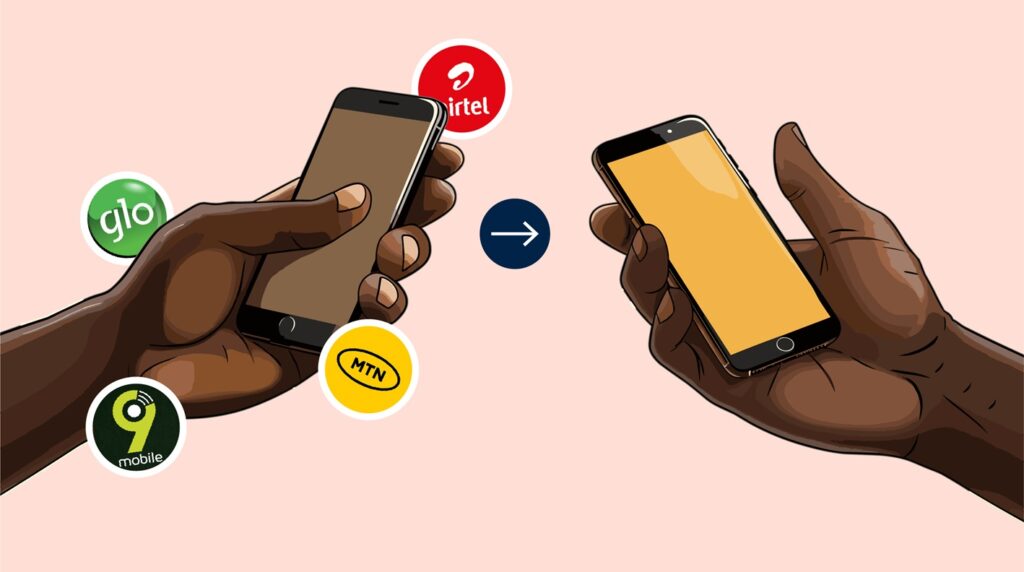
How to Share Airtime on MTN
MTN remains one of the most widely used telecom networks in Nigeria, and its airtime transfer feature allows users to send airtime quickly to other MTN subscribers.
Users can transfer between ₦50 and ₦5,000 per transaction, with a daily transfer limit of up to ₦50,000.
MTN supports airtime sharing through both USSD codes and the myMTN mobile app.
Step 1: Change Your Default PIN
Before you can send airtime, you must first replace the default transfer PIN.
To do this:
- Dial 3210000NewPINNewPIN#
For example, if you want your new PIN to be 1234, dial:
- 321000012341234#
You can also change your PIN through SMS by sending:
- Default PIN New PIN New PIN
to 321.
Step 2: Transfer Airtime
Once your PIN has been successfully changed, you can start sharing airtime.
Dial:
- 321RecipientNumberAmountPIN#
For example:
- 321080120005001001234#
This sends ₦100 airtime to the specified MTN number.
Both the sender and receiver will receive confirmation messages after the transaction is completed.
How to Share Airtime Using the myMTN App
MTN users can also transfer airtime through the myMTN mobile application.
To use the app:
- Open the myMTN app and log in
- Tap “Share”
- Create an airtime transfer PIN if you do not already have one
- Select “Airtime Share”
- Enter the recipient’s MTN number
- Input the amount you want to transfer
- Review the transaction summary
- Enter your PIN to complete the transfer
MTN notes that postpaid users can only transfer airtime if their account balance is positive.
How to Share Airtime on Airtel
Airtel also allows subscribers to transfer airtime easily using either USSD codes or the Airtel mobile app.
Users can send between ₦50 and ₦5,000 per transaction, with a maximum daily transfer limit of ₦10,000.
Step 1: Change Your Airtel PIN
Before using the transfer service, Airtel users must replace the default PIN, which is usually 1234.
To do this:
- Dial *321# and follow the on-screen prompts
You will be asked to create a new secure PIN for airtime sharing.
Step 2: Transfer Airtime
After setting your new PIN, dial:
- 321RecipientNumberAmountPIN#
Example:
- 321080120005002001234#
This sends ₦200 airtime to the selected Airtel number.
Both users will receive confirmation notifications after the transaction is successful.
DON’T MISS: Cheapest MTN, Airtel, and Glo ‘Secret Data Codes Nigerians are Using 2026: See the Full List
How to Share Airtime Using the Airtel Mobile App
Airtel users can also send airtime through the Airtel app.

To transfer airtime:
- Open the Airtel app and sign in
- Click “View All”
- Select “ME2U Share Airtime”
- Enter the recipient’s Airtel number
- Input the transfer amount
- Review the details carefully
- Enter your transfer PIN to complete the transaction
The mobile app is often preferred by users who want a faster and more visual transfer process.
How to Share Airtime on Glo
Glo subscribers can also transfer airtime using USSD codes.
Unlike MTN and Airtel, Glo currently does not support airtime transfer through its mobile app, although the app supports data gifting and subscription management.
Glo users can transfer between ₦50 and ₦1,000 per transaction, with a maximum daily limit of ₦5,000.
Step 1: Change Your Default PIN
Glo’s default transfer PIN is 00000.
To create a new PIN, dial:
- 32100000NewPINNewPIN#
For example:
- 321000001234512345#
Step 2: Transfer Airtime
After successfully changing your PIN, you can send airtime by dialing:
- 321RecipientNumberAmountPIN#
Example:
- 3210801200050050012345#
This sends ₦500 airtime to the chosen Glo number.
You and the recipient will both receive confirmation messages after the transaction.
How to Reset Your Glo Transfer PIN
If you forget your Glo transfer PIN:
- Dial *321#
- Select “Airtime Share”
- Choose “Forgot PIN”
- Follow the instructions displayed on your screen
The system will guide you through the PIN recovery process.
DON’T MISS: 7 Common Reasons Nigerians Are Denied Visa, How to Avoid Them
Why Airtime Sharing Has Become More Popular
As the cost of communication continues to rise in Nigeria, airtime sharing has become increasingly common among families, friends, students, and coworkers.
Many Nigerians now rely on quick airtime transfers during emergencies, especially when someone urgently needs to make a call, activate a data bundle, or complete a mobile banking transaction.
The harmonised *321# code introduced by the NCC has also made the process easier by reducing confusion across different telecom networks.
The Bottom Line
Whether you use MTN, Airtel, or Glo, sharing airtime in 2026 is now faster and more convenient than ever.
With just a few USSD codes or mobile app steps, users can instantly send airtime to loved ones anywhere in Nigeria.
As long as your transfer PIN is active and your balance is sufficient, the process only takes a few seconds to complete.






IPOB: Sheikh Jingir Declares Nigeria a Muslim Country — Exactly What Nnamdi Kanu Warned the World About
IPOB says Sheikh Sani Yahaya Jingir’s reported remarks vindicate Nnamdi Kanu’s longstanding warnings about religious domination in Nigeria.


Air Peace Flight Operations Grounded Nationwide
Air Peace has announced temporary disruptions to its flight operations after members of the Nigeria Labour Congress and aviation unions...


FG, NBA, UNICEF Unveil Free Legal Services for Children
The Federal Government, Nigerian Bar Association and UNICEF have launched a new partnership aimed at expanding access to pro bono...


VIDEO: Osun Businesswoman Shares Rice, Tells Residents to Vote APC Candidate
An Osun businesswoman, Alhaja Falilat Yusuf, popularly known as Ero-Arike, has sparked reactions online after a video showed her distributing...


UK Radio Station Fined After Accidentally Announcing King Charles III’s Death
UK broadcaster Radio Caroline has been found to have breached broadcasting rules after accidentally airing a false announcement of King...


WAEC Demands Strict CBT to Tackle ‘Miracle Centres’, Examination Malpractice
WAEC, Examination Malpractice, Miracle Centres, Computer-Based Testing, CBT, Benue Education, WAEC Exams,


BBNaija Season 11: Nenche Becomes Second Female Housemate to Win HoH
Big Brother Naija Season 11 housemate Nenche has emerged as the Head of House for Week 3 after winning Monday’s...


Why I Shaved My Hair on My White Wedding – Jarvis Reveals
Digital creator Jarvis has dismissed speculation that she shaved her hair as part of a traditional marital rite, explaining that...


Lagos Law School Student Dies After Jumping From Four-Storey Hostel
A 23-year-old Nigerian Law School student, Faith Alayande, has died in a suspected suicide incident at the institution’s hostel in...


Osun Election: NSCDC Deploys 10,000 Personnel Ahead of August 15 Governorship Poll
The Nigeria Security and Civil Defence Corps has deployed 10,000 personnel from 10 state commands to Osun State as part...